Replacing users
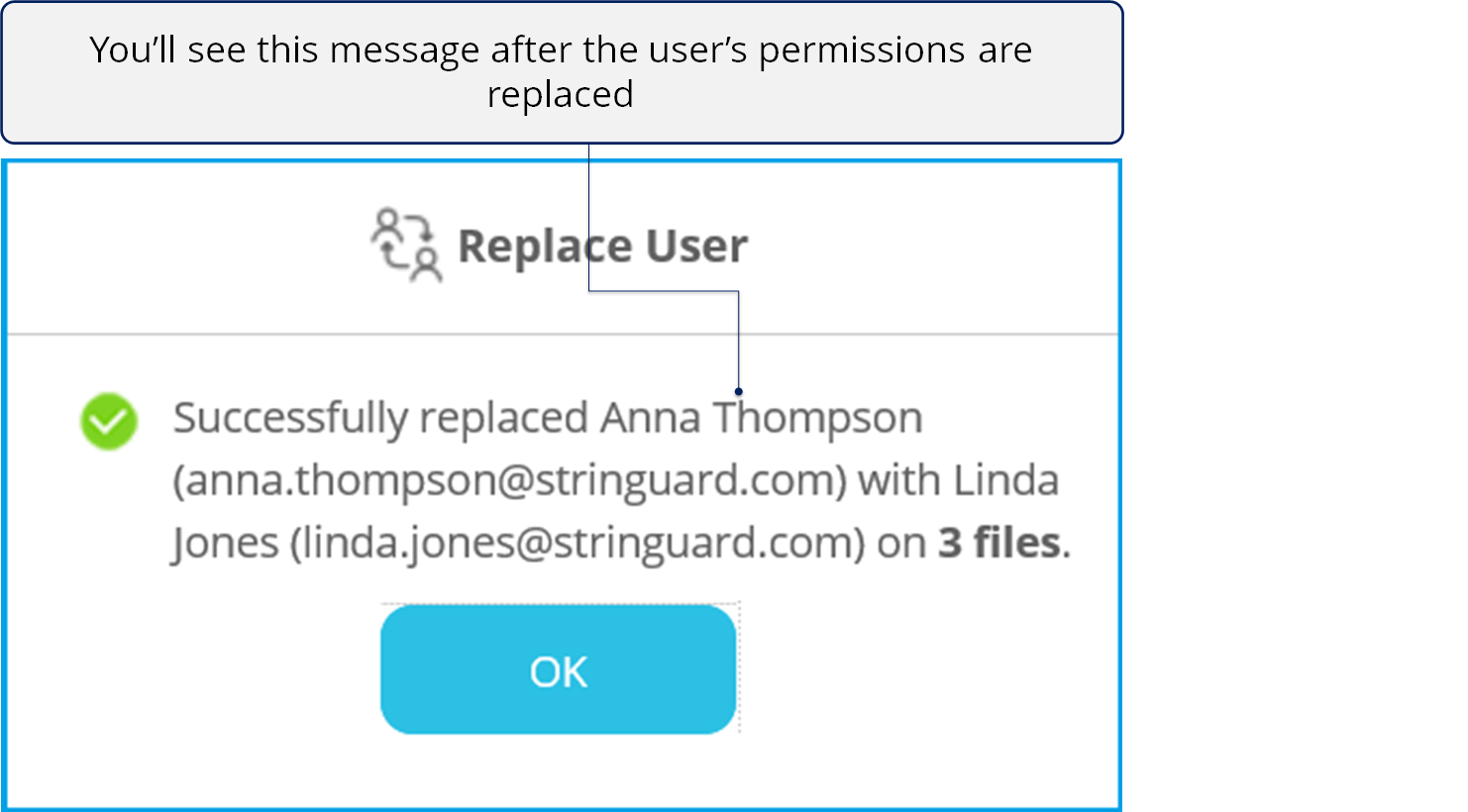
Replacing users - This is useful when someone has moved to another team or left the organization and you wish to replace that user with someone else on the protected files. In such a scenario, you can select all the files that the user has access to and replace them with someone else. The original user will lose access to those files.
In this section, we'll see how to replace users on protected files.
What you need
- An active internet connection
- You must be signed in to Seclore.
- If you need help signing in, see Signing in to Seclore.
Audio/Video demonstration
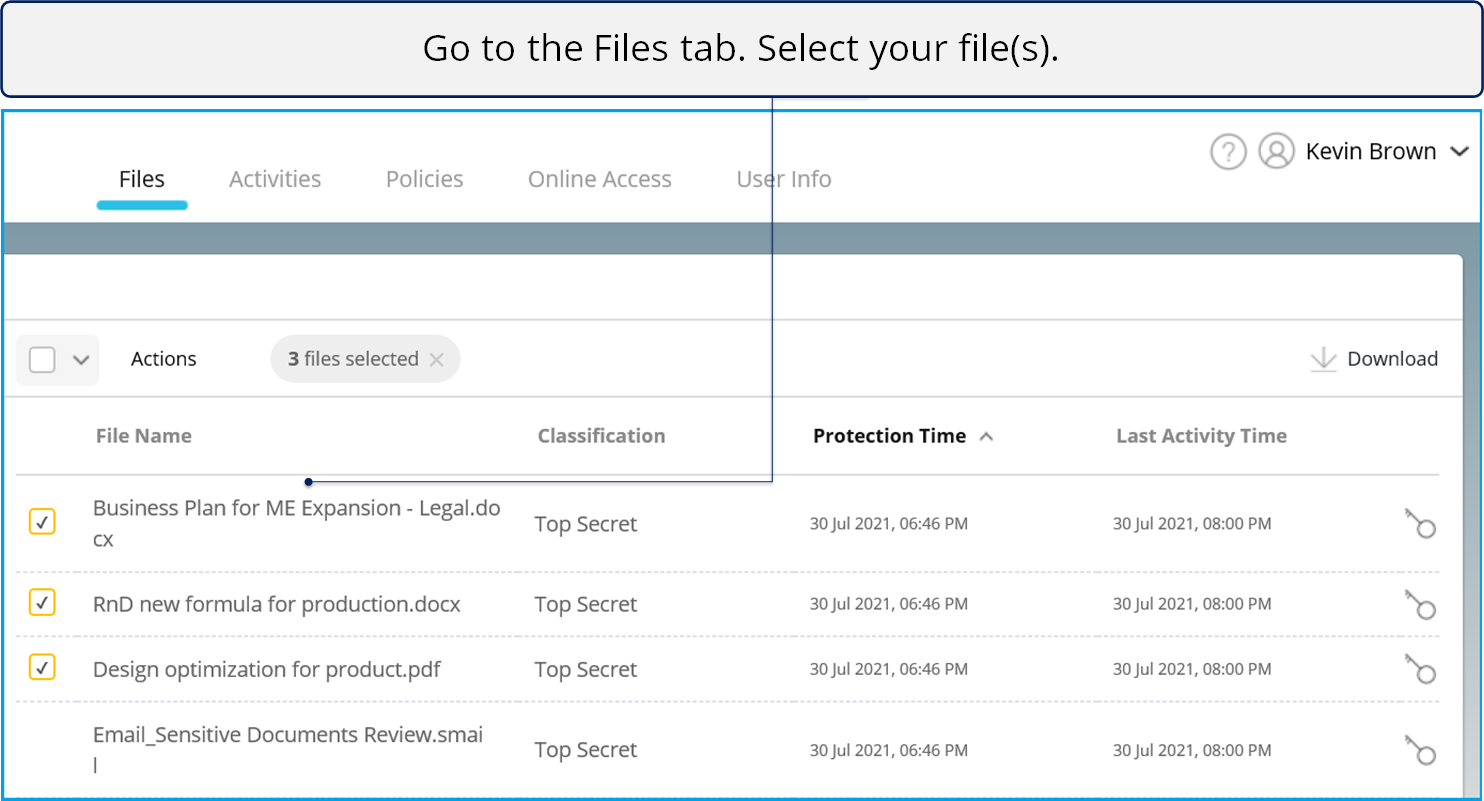
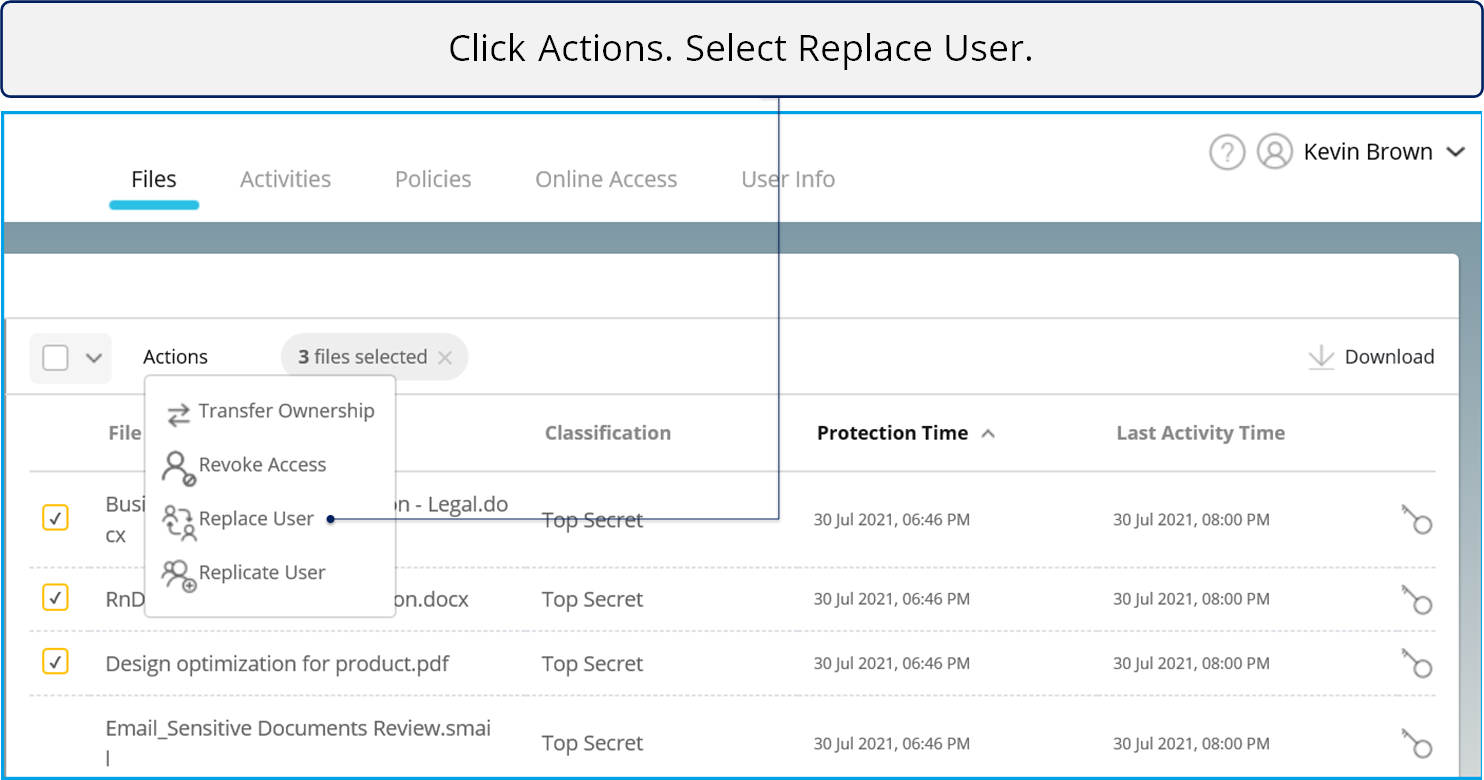
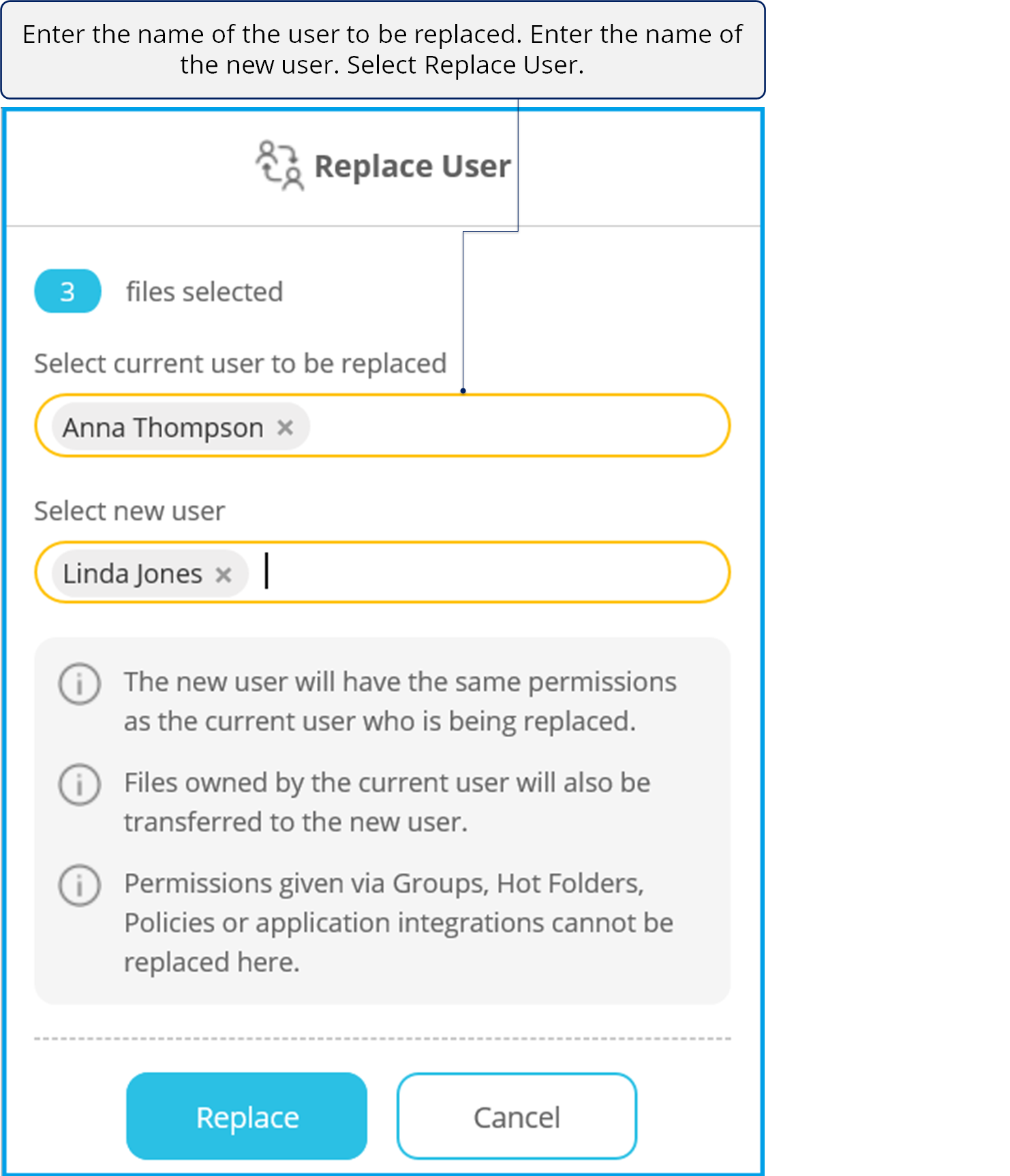
Step-by-step
5.png)
6.png)
4.png)
4.png)